Expenses Dashboard
A single financial control room for company admins — one place to see every card transaction across the organization: who spent what, on which card, and whether it's in policy.
01 — Overview
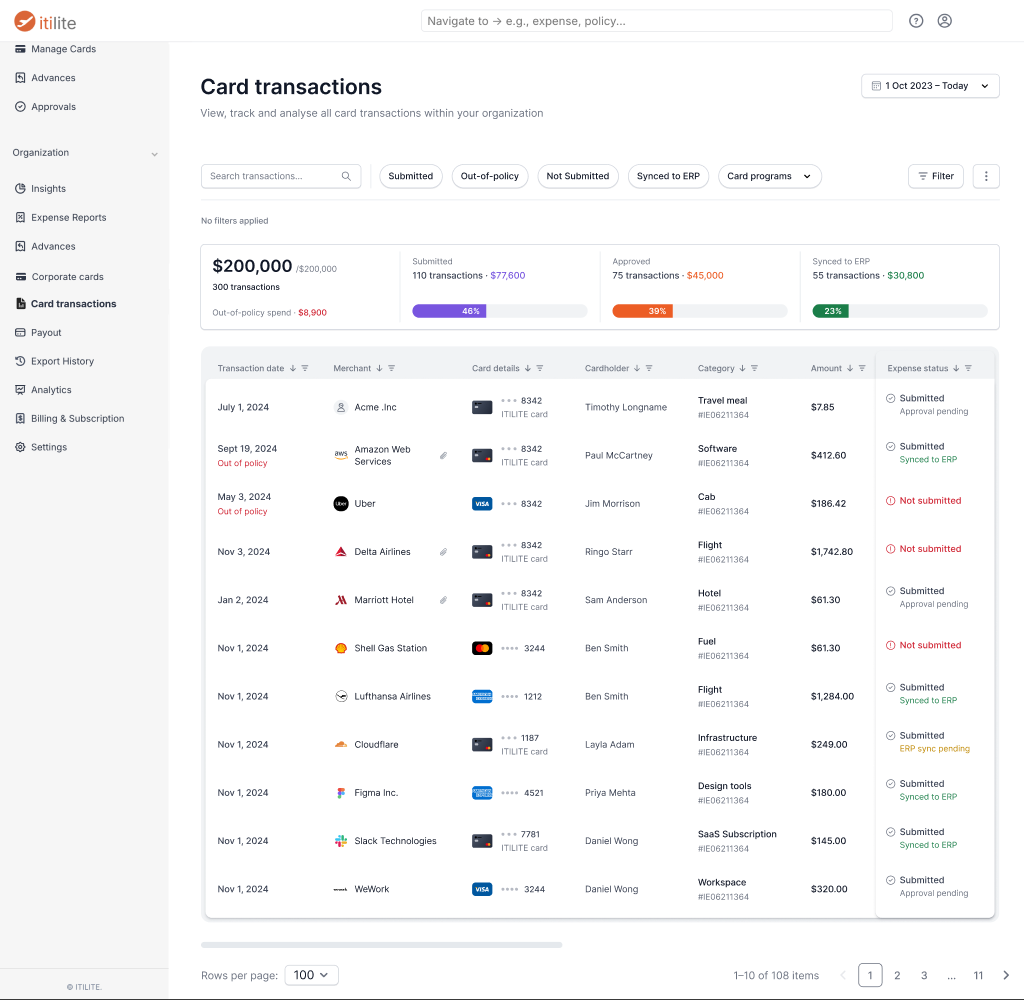
ITILITE is a B2B travel & expense platform. On the expense side, company admins had no central place to actually see their organization's money moving. This project built that place — a unified Card Transactions console that pulls every card charge into one view, categorized, attributed, and policy-aware, so a finance admin can answer "where is our spend going?" in seconds instead of stitching it together by hand.
One central ledger
Every card transaction in the org, in one table — merchant, card used, cardholder, amount, category, and status. No more hunting across tools or people.
Auto-categorized spend
Transactions classify themselves by merchant category (MCC) — travel meals, software, fuel, hotels — so spend patterns surface without manual tagging.
Policy & status at a glance
Out-of-policy charges are flagged inline, and each transaction shows where it is in the pipeline — submitted, approved, or synced to the company's ERP.
Built to interrogate
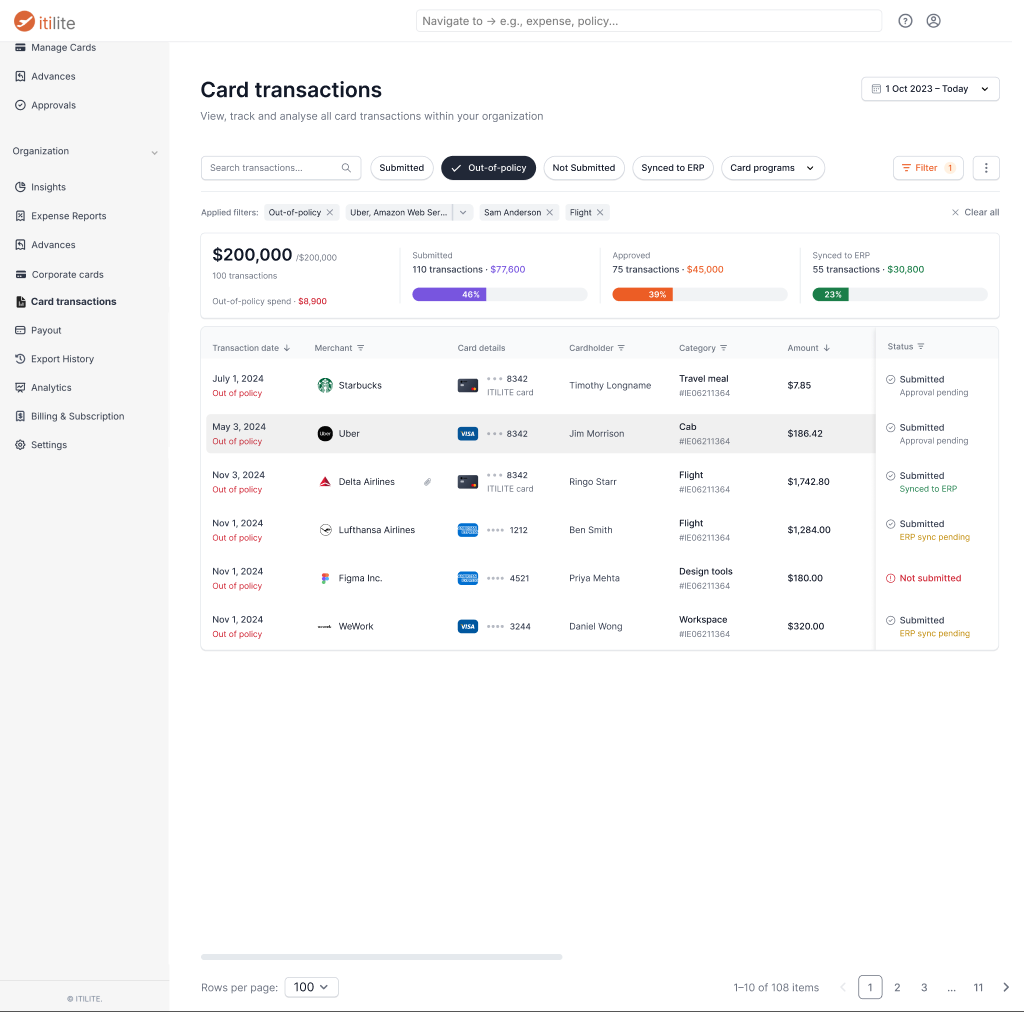
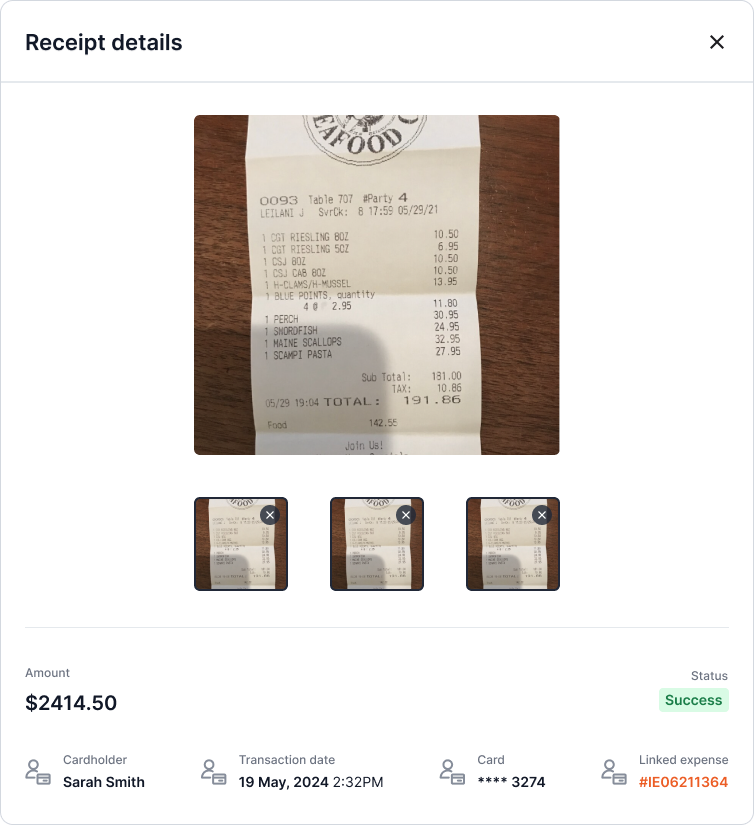
Stackable filters, saved views, and receipt-level drill-down let admins slice the data any way they need and come back to it later.
02 — Problem
No single source of financial truth
Spend data was fragmented across cards, employees, and screens. There was no central view an admin could open to understand organizational spend — which made the whole expense side of the product hard to trust and harder to actually use.
Scattered transactions
Spend lived across individual cards and employees with no consolidated place to see it all together.
No policy visibility
Out-of-policy spend surfaced late, if at all — usually after the money was already gone.
Expense felt unusable
Without a real admin surface, the expense product was hard to reason about and adopt.
03 — Design
The control room
The design goal was density without overwhelm — pack a lot of financial signal into one screen, but keep it scannable and drillable.
The unified table
The heart of the console. Summary tiles up top frame the numbers — total spend, out-of-policy spend, and progress toward submitted / approved / synced — over a full transactions table below.
Filtering & policy drill-down
Admins rarely want everything at once — they want a slice. Quick status pills and a stackable filter builder let them narrow to exactly what matters, like every out-of-policy flight charged by one employee.
Transaction & receipt detail
Every row opens into the full story of a single charge — the receipt itself, matched against the transaction, with all the context an admin needs to verify or reconcile it.
Outcome
This became the financial control room admins never had — and a big step in making the expense side of ITILITE something teams could actually rely on day to day.