Flexible Payment Methods
Redesigning how finance admins manage corporate cards — giving companies granular control over who pays with what, and when.
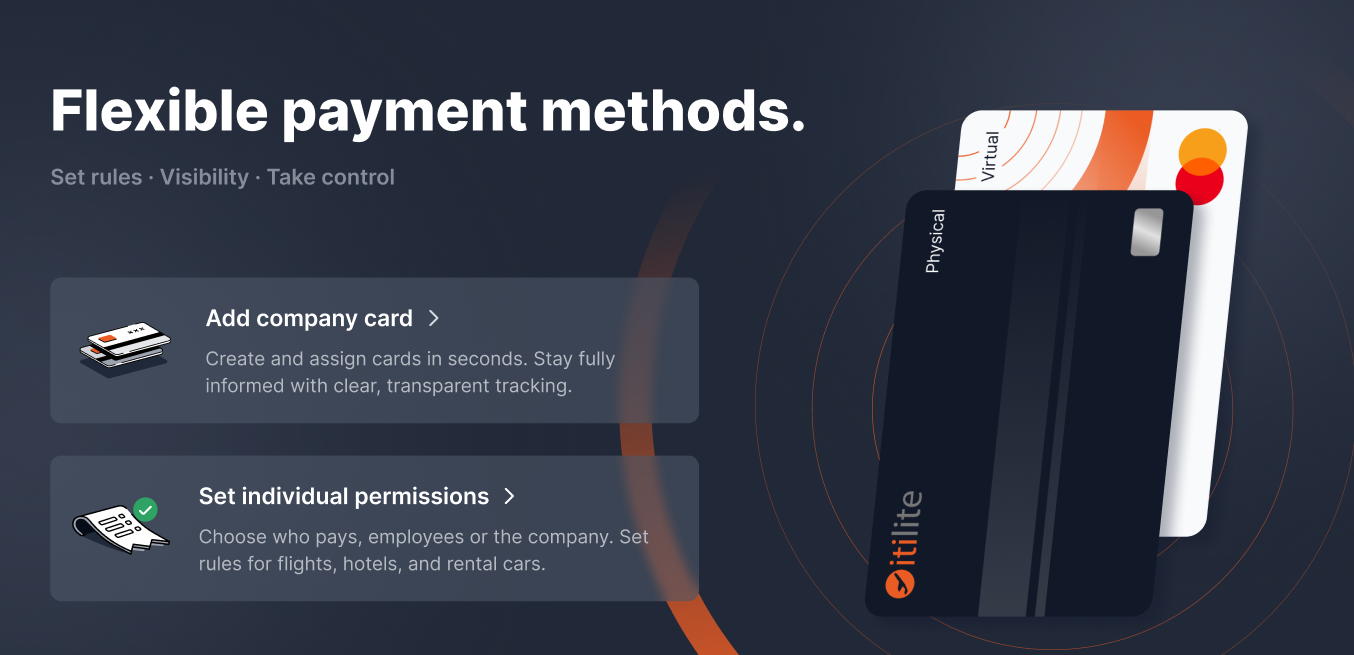
01 — Overview
ITILITE is a B2B T&E platform used by mid-to-large enterprises. This feature gave finance admins a dedicated console to manage corporate cards — assign them to teams, control what employees can pay with, and enforce policy at the point of booking.
Corporate Card Management
Add Visa, Mastercard, or Amex cards and assign each to specific employees or teams. Surfaced contextually during booking.
Priority & Access Control
Toggle cards ON/OFF and mark one as "Prioritized" — controls which card shows first. Scoped per team.
Employee Permission Layer
A separate control for whether employees can pay with personal cards at all. Critical for companies enforcing 100% corporate card usage.
Zero-State First
Designed from the empty state out — first-time setup is obvious without any onboarding docs.
02 — Problem
No structure, no visibility, no control
Finance teams had no way to enforce card policies. Employees defaulted to personal cards or used the wrong corporate card — creating reconciliation headaches downstream.
No team-level card assignment
A marketing card could be used by engineering. Messy expense reports, budget overruns.
Personal card defaults
Without controls, employees defaulted to personal cards — defeating the point of having corporate cards.
No admin visibility
No single view of cards, who could use them, or whether they were active. Spreadsheets and Slack filled the gap.
Personas
Priya, Finance Admin
Primary User · Admin ConsoleManages 3–8 corporate cards across departments. Needs visibility and control over who charges what. Currently stuck doing post-trip reconciliation over Slack.
Rahul, Business Traveller
End User · Booking FlowBooks 4–6 trips a month. Wants the payment step frictionless — just show the right card. Gets frustrated when he can't tell which one to use.
03 — Design
The three screens
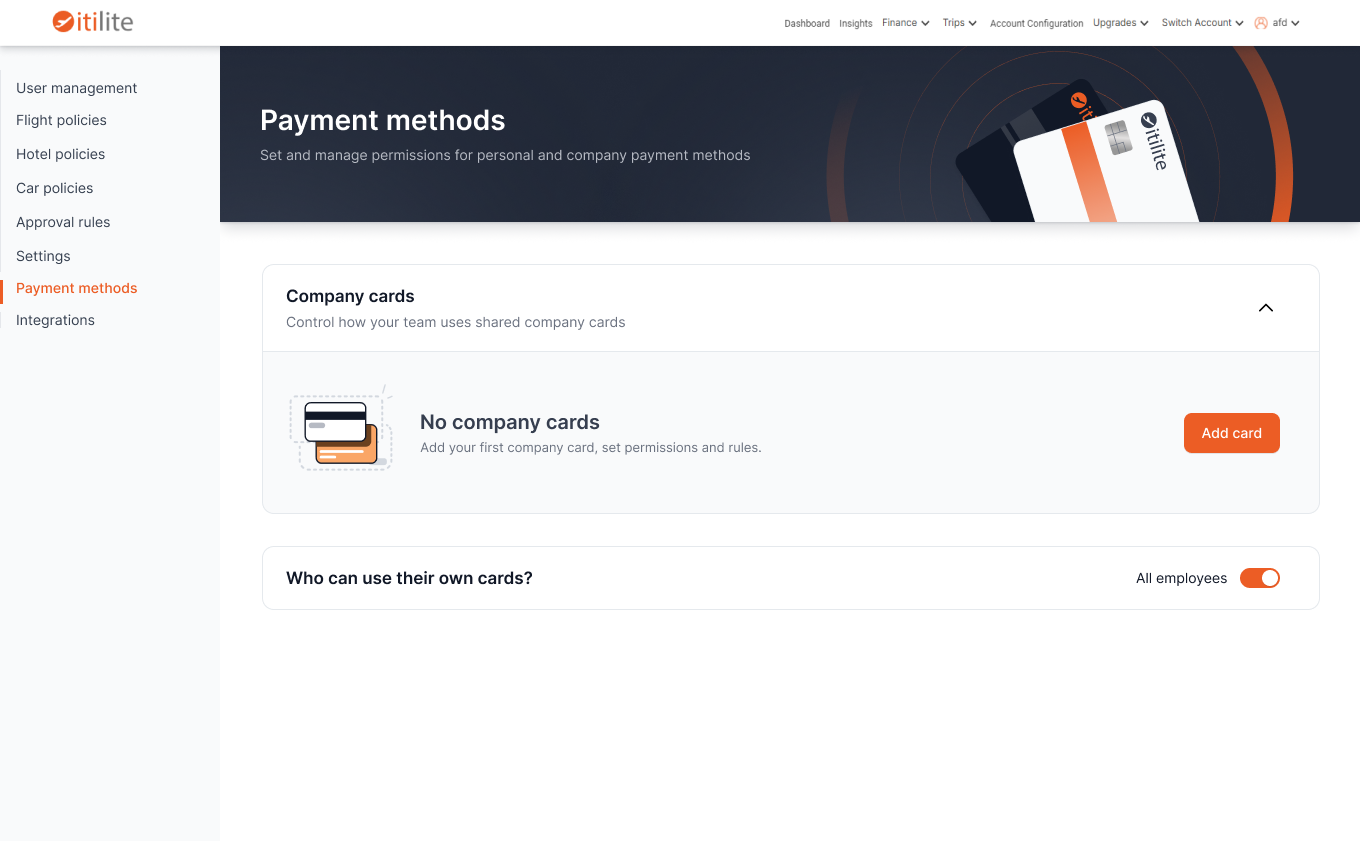
Zero State — Starting Fresh
The very first screen an admin sees before any cards are added. Designed to eliminate confusion and make the next step obvious — not feel like a broken empty table.
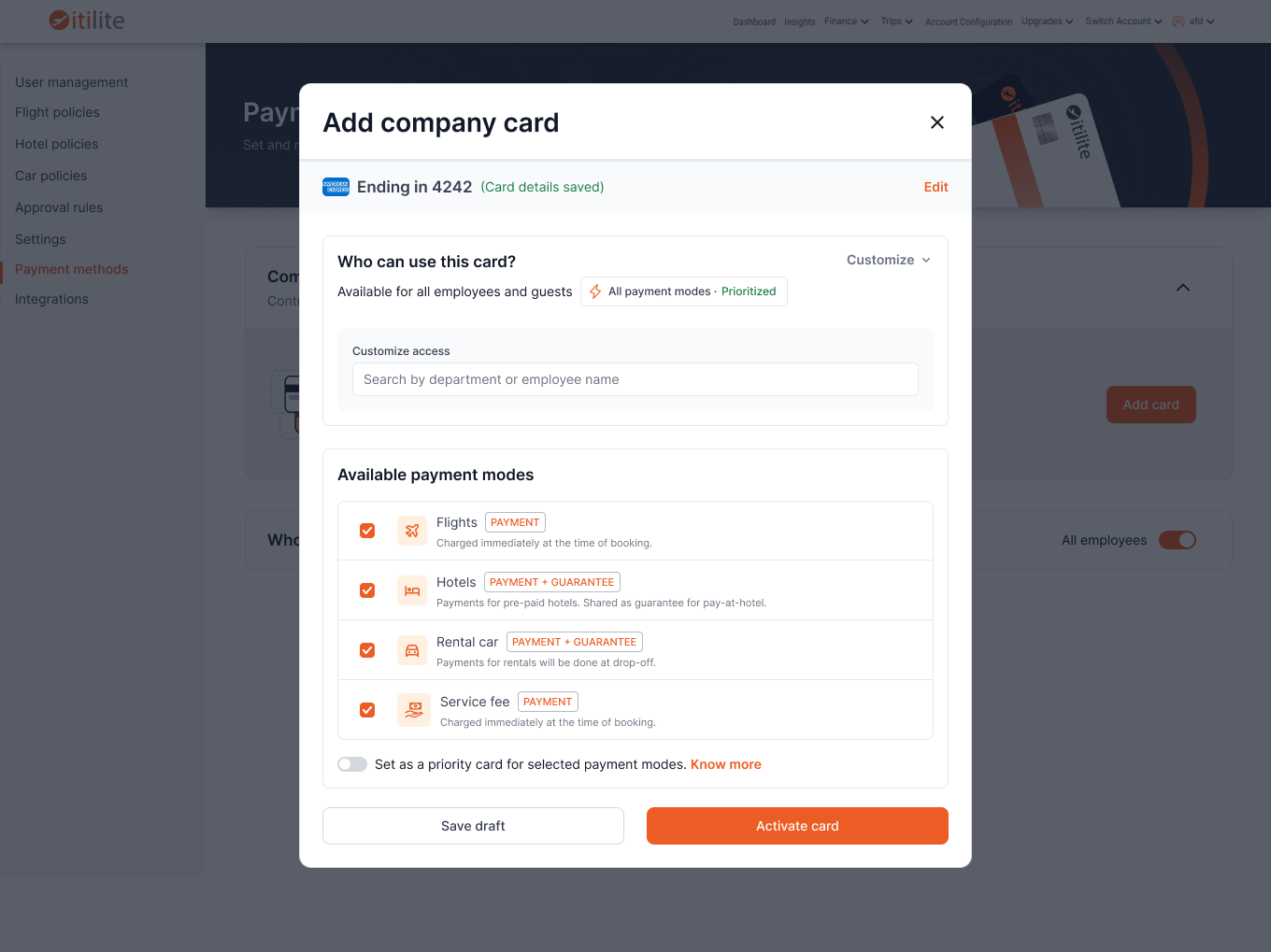
Add Company Card — The Setup Flow
A focused modal form that captures all necessary card details while feeling lightweight — not like filling out a banking form.
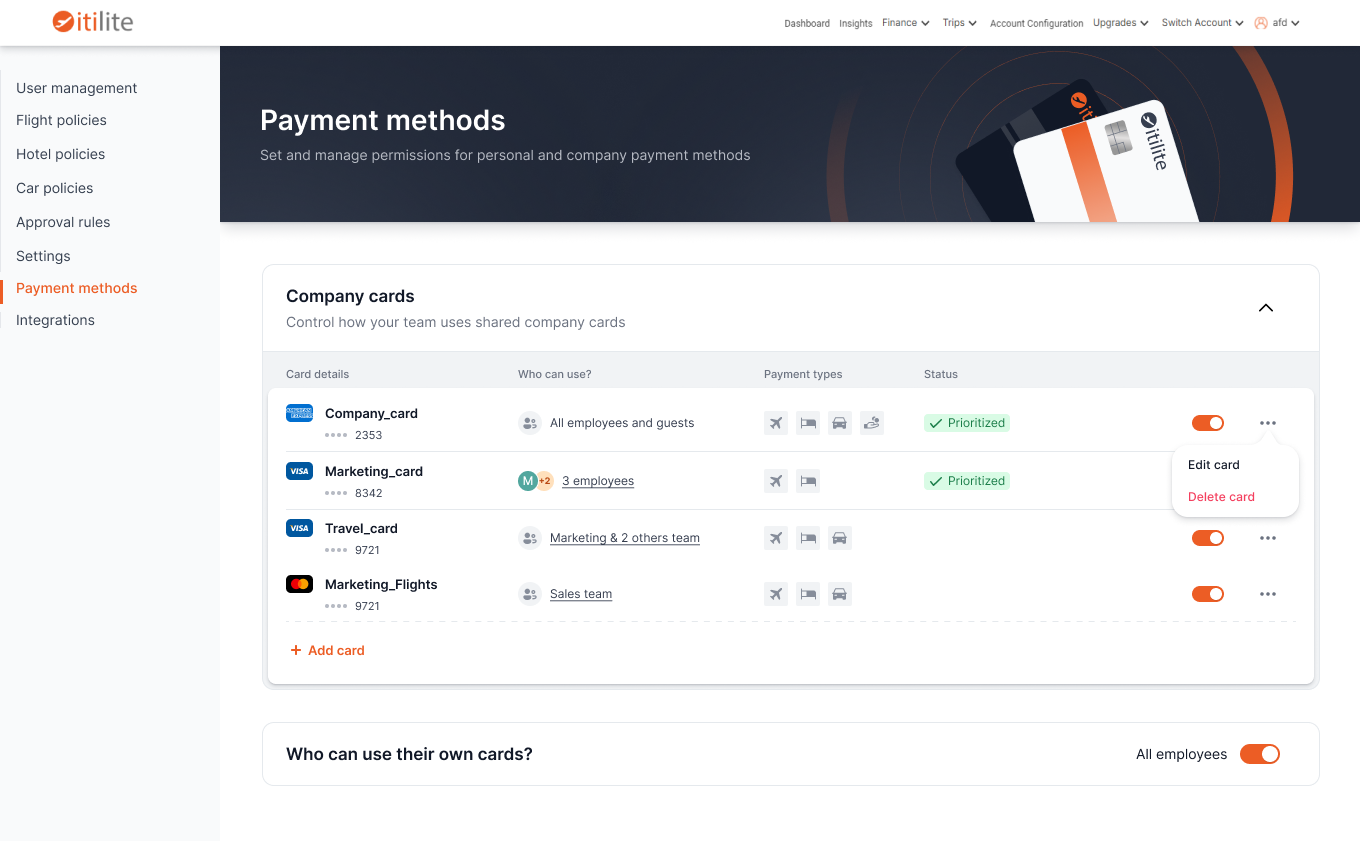
Populated State — Card Management Table
The main management view once cards are added. Designed for scannability — admins should be able to take in the full picture and act on any card without opening anything.
04 — User Flow
Admin journey
06 — Impact
Corporate cards configured per admin
Admins who had avoided the feature entirely started using it within the first week.
Personal card usage on corporate bookings
The core compliance problem this was built to solve.
"Wrong card" support tickets
Down from being the top complaint category the previous quarter.
Task success rate on first use
Usability testing (n=12) — admins completed add-card-and-assign without assistance.
07 — Learnings
What I'd do differently
Bulk assignment for scale
One-by-one modal flow works for 5 cards, not 20. A CSV import or multi-card wizard would've dramatically improved enterprise rollout.
"Prioritized" needed more explanation
Admins kept toggling it ON for every card — they didn't get it was relative. An inline tooltip or drag-to-reorder would've been far clearer than the label alone.
The booking flow deserved more attention
Most effort went into the admin console. But the actual failure — employees using the wrong card — lives in the booking flow. Closing that loop would've had more impact.